Digital Literacy Classes: Free Computer Skills Training Near You
In today’s job market, basic computer skills are no longer optional. Whether you are applying for a warehouse position, a retail job, or an office role, most employers expect you to know how to use a computer, navigate the internet, and handle basic digital tasks. If you feel left behind when it comes to technology, you are not alone, and there are free programs available in nearly every community to help you build the digital skills you need.
Digital literacy means more than just knowing how to turn on a computer. It includes understanding how to use email, create and edit documents, search the internet safely, fill out online applications, use video conferencing tools, and protect your personal information online. These skills are essential for finding a job, managing your finances, accessing government services, and staying connected with family and friends.
Why Digital Skills Matter More Than Ever
The shift to digital is accelerating in every part of daily life. Job applications are almost exclusively online. Government benefits like SNAP, Medicaid, and unemployment insurance are applied for and managed through web portals. Telehealth appointments, online banking, and digital communication have become standard. Without basic computer skills, it becomes increasingly difficult to participate fully in modern life.
According to the National Skills Coalition, approximately 48 million working-age adults in the United States have limited or no digital skills. This digital skills gap disproportionately affects older adults, people with lower incomes, rural residents, immigrants, and people with disabilities. The good news is that numerous organizations recognize this gap and offer free training to help bridge it.
Free Computer Classes at Public Libraries
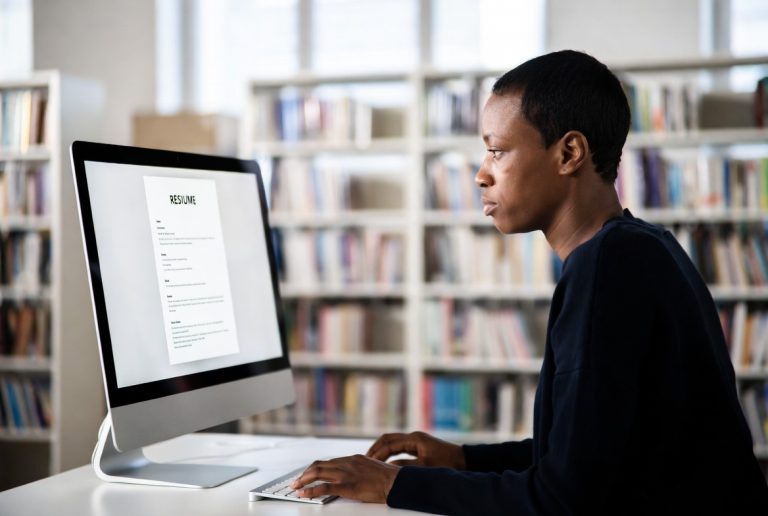
Your local public library is one of the best places to find free digital literacy training. Libraries across the country offer computer classes ranging from absolute beginner level to intermediate and advanced topics. Classes typically cover using a mouse and keyboard, navigating Windows or Mac operating systems, internet basics, email setup and management, word processing, and spreadsheet fundamentals.
Many libraries also offer one-on-one technology help sessions where you can bring specific questions or projects and work with a librarian or volunteer. This personalized assistance is invaluable if you learn better with individual attention or have a specific task you need help with, like setting up an email account or filling out an online job application.
In addition to in-person classes, many library systems provide free access to online learning platforms like LinkedIn Learning, Coursera, or Northstar Digital Literacy. These platforms offer self-paced courses you can take at home, covering everything from basic computer use to specialized software like Microsoft Excel, Google Workspace, and more.
Community-Based Training Programs
Community organizations, nonprofits, and faith-based groups frequently offer free computer training, especially in underserved neighborhoods. Organizations like Goodwill, the Salvation Army, Catholic Charities, and local community action agencies often have computer labs and scheduled training sessions open to the public.
Senior centers are another excellent resource, particularly for older adults who may feel intimidated by technology. Many senior centers offer regular computer classes specifically designed for people who are new to technology. The pace is slower, the instruction is patient, and the atmosphere is supportive. AARP also offers free technology training through its TEK program, both online and at in-person events.
If you are a job seeker, your local American Job Center, also known as a workforce development center or One-Stop Career Center, likely offers free digital skills training as part of its employment services. These centers understand that computer skills are essential for job searching and often include digital literacy as a core component of their programs. Find your nearest center at careeronestop.org.
Free Online Training You Can Do at Home
If you have basic internet access and prefer to learn at your own pace, several excellent free online programs are available. GCFGlobal.org, run by Goodwill, offers hundreds of free tutorials covering computer basics, Microsoft Office, Google tools, internet safety, and more. The tutorials include interactive lessons and videos designed for absolute beginners.
DigitalLearn.org, operated by the Public Library Association, offers short self-paced courses on topics like using a tablet, navigating online health information, and basic internet skills. The courses use simple language and clear step-by-step instructions, making them accessible even for people who are just starting out.
Northstar Digital Literacy at digitalliteracyassessment.org offers both assessments and learning materials. You can take a free assessment to identify which skills you need to develop, then access modules that help you build those specific skills. Many employers and educational institutions recognize Northstar credentials, so earning a certificate can strengthen your resume.
Google offers free digital skills training through its Grow with Google initiative. Courses cover topics like online job searching, creating a professional resume, using Google Workspace tools, and understanding online security. The courses are well-organized and designed for learners at all levels.
What to Expect in a Beginner Computer Class
If you have never taken a computer class before, it is natural to feel nervous. Rest assured that beginner classes start from the very basics. Instructors understand that everyone learns at a different pace, and there is no such thing as a silly question in these classes.
A typical beginner class might start with how to turn on a computer, use a mouse, and navigate the desktop. From there, you would learn to open and close programs, use a web browser to visit websites, and create an email account. As you progress, you might learn word processing basics like typing a letter, saving and printing documents, and attaching files to emails.
Most classes meet once or twice a week for several weeks, giving you time to practice between sessions. Many programs also provide open lab hours where you can come in and practice on your own with assistance available if you get stuck.
Getting Access to a Computer and Internet
If you do not have a computer or internet access at home, you can still participate in digital literacy training. Public libraries offer free computer and internet access during operating hours. Many community centers and nonprofit organizations also have computer labs available to the public.
Several programs can help you get affordable internet at home. The Affordable Connectivity Program, Comcast Internet Essentials, AT&T Access, and Spectrum Internet Assist all offer low-cost internet plans for qualifying households. Some programs also provide free or low-cost computers or tablets to participants.
Building digital skills is an investment in your future. Whether you are looking for a better job, want to manage your finances online, need to access healthcare services, or simply want to video call your grandchildren, free digital literacy training can open doors that were previously closed. Start by visiting your local library, calling 211, or searching online for free computer classes in your area.